Available: your coding agent.
Codex · Claude Code · MCP
Connect directly today. Official directories are a separate distribution channel.
Connect your agent feedbacks.
Screenshots, video and session replay.
The context your team and AI agent
need to fix it.
100% free. Apache-2.0 open source.
The complete product, on your infrastructure.

Pin the exact element. Annotate the screenshot. Keep every comment with its original view.
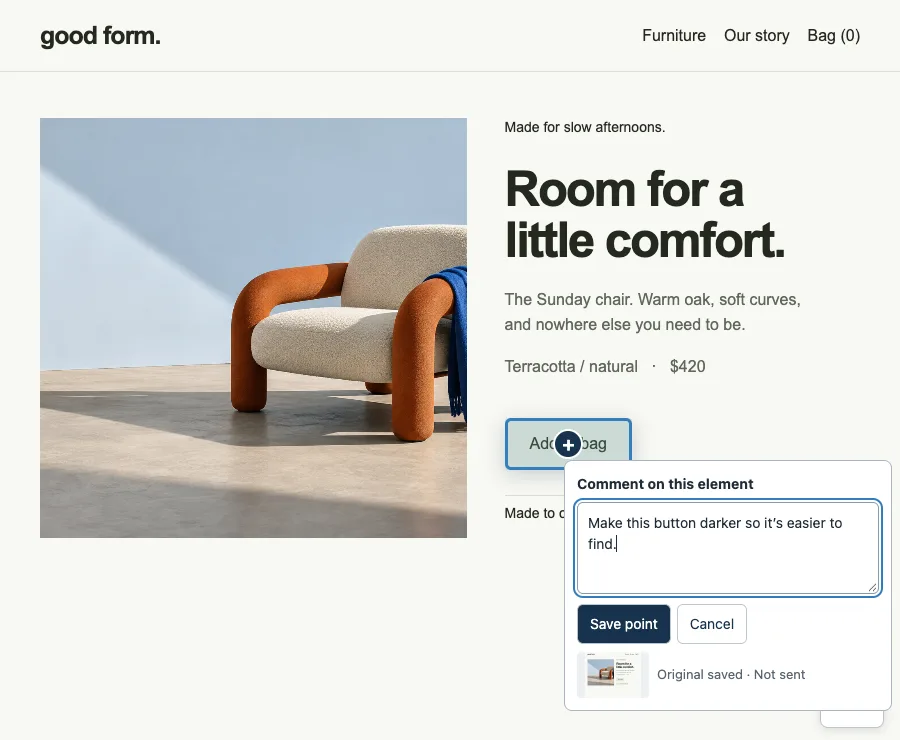
Keep decisions beside the evidence. Copy the thread into Codex or Claude, with your team's discussion and page context attached.
Connect your agent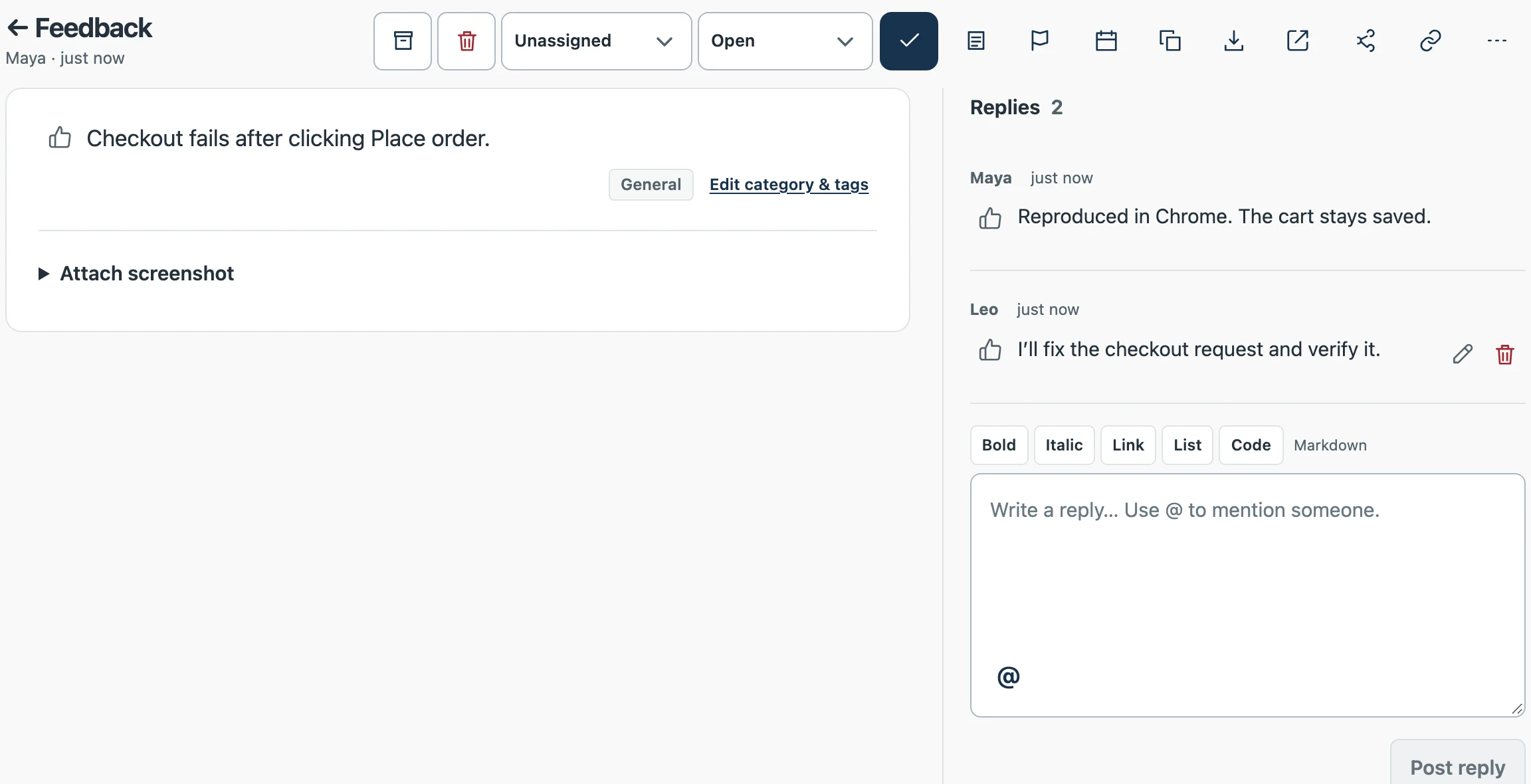
Select a phrase and suggest its replacement. The original text, element and screenshot travel together, so the developer knows exactly what you meant.
See text suggestions
Download a complete thread bundle: conversation, screenshots, videos, session events and captured diagnostics. Or let your agent read just the evidence it needs.
Open the debugging guide
Ask Codex or Claude what to work on next. Through MCP, it can weigh your assigned work, top-priority flags and team context, then recommend where to start.
See how context works
Codex · Claude Code · MCP
Connect directly today. Official directories are a separate distribution channel.
Connect your agentWindows · Ubuntu · macOS
Android · iOS
Planned desktop companions and mobile sharing. No release date announced.
See what’s plannedYour team provides hosting and any AI tools it chooses. Reviewers connect to the same server.
To connect the extension, open Setup → Copy server URL in your Feedbacks app, then paste it into the extension.
Compare screenshots, recordings, session replay, debugging evidence, hosting and agent workflows. Every confirmed capability links to its source.